Ubuntu
adalah sistem operasi Linux. berisi semua aplikasi yang Anda butuhkan:
web browser, office suite, multimedia, instant messaging dan banyak
lagi.
Berbasis pada Debian GNU / Linux, Ubuntu berkonsentrasi pada
kegunaan, rilis yang teratur, kemudahan instalasi, dan kebebasan dari
batasan hukum karena open source.
Ubuntu akan selalu bebas biaya, Pembaharuan versi dan update keamanan
Dukungan komersial penuh dari Canonical dan ratusan perusahaan dari seluruh dunia
Ubuntu menyediakan terjemahan terbaik dan fitur aksesibilitas bahwa komunitas perangkat lunak bebas yang ditawarkan
Ubuntu gratis dan open source. Kami ingin Anda untuk menggunakan
perangkat lunak bebas dan open source, memperbaikinya lalu
menyebarkannya. File Size: 794 MB Publisher: Canonical Ltd OS Support: Linux
Debian adalah sistem operasi yang dikembangkan
secara terbuka oleh programer-programer yang tergabung dalam Proyek
Debian. Debian sendiri merupakan gabungan dari perangkat lunak yang
dikembangkan di bawah lisensi GNU, dan menggunakan kernel Linux,
sehingga populer dengan nama Debian GNU/Linux. Linux Debian merupakan
salah satu distro Linux yang terkenal stabil. Distro turunan dari Debian
adalah BlankOn, Knoppix, Linux Mint, Ubuntu, Xubuntu, Xandros, dan lain-lain. Setelah
dua tahun dalam masa pengembangan, tim pengembang proyek Debian dengan
bangga mengumumkan pada hari ini, 6 Februari, ketersediaan untuk di-download versi terbaru dan stabil dari sistem operasi Debian 6.0 (Squeeze).
Dijuluki
Squeeze, Debian 6.0 memuat banyak update aplikasi, perbaikan dan
fitur-fitur baru. Empat lingkungan desktop penting (KDE, GNOME, Xfce dan
LXDE) turut disertakan, kompatibilitas dengan FHS 2.3. Dukungan untuk
sembilan arsitektur (32-bit PC / Intel IA-32 (i386), Intel Itanium
(ia64), 64-bit PC / Intel EM64T / x86-64 (amd64), Sun/Oracle SPARC
(sparc), Motorola/IBM PowerPC (powerpc), MIPS mipsel (little-endian)
serta (mips (big-endian)), IBM S/390 (s390) dan ARM EABI (armel))
menjadikan Debian 6.0 sebagai ditro yang kuat dan stabil.
"Debian
berjalan pada komputer mulai dari palmtop dan sistem genggam hingga
superkomputer. Sebanyak sembilan arsitektur didukung oleh Debian
GNU/Linux: 32-bit PC / Intel IA-32 (i386), 64-bit PC / Intel EM64T /
x86-64 (amd64), Motorola/IBM PowerPC (powerpc), Sun/Oracle SPARC
(sparc), MIPS (mips (big-endian) serta mipsel (little-endian)), Intel
Itanium (ia64), IBM S/390 (s390), dan ARM EABI (armel)" - Dinyatakan dalam pengumuman rilis.
Xen Hypervisor 4.0.1 (dengan dukungan untuk dom0 dan domU);
OpenJDK 6b18;
Tomcat 6.0.18;
Dan lebih dari 29.000 aplikasi lain, dibangun dari sekitar 15.000 sumber paket.
Debian
6.0 juga mencakup lebih dari 10.000 paket-paket baru seperti web
browser Chromium, Icinga solusi pemantauan sumber terbuka, Software
Center manajemen paket front-end, wicd network manager, Corosync cluster
framework dan lxc Linux container utilities.
"Dengan
pilihan paket yang luas, sekali lagi Debian tetap setia dengan tujuan
menjadi sistem operasi universal. Sangat cocok untuk banyak kasus
penggunaan yang berbeda: Dari sistem desktop hingga netbook; dari server
pengembangan hingga sistem cluster; dan untuk database, web atau server
penyimpanan".
"Pada
saat yang sama, penambahan jaminan yang berkualitas seperti instalasi
otomatis dan pengujian upgrade untuk semua paket dalam arsip Debian,
memastikan bahwa Debian 6.0 memenuhi harapan tinggi bahwa pengguna
memiliki sebuah rilis Debian yang stabil. Ini adalah sistem yang kokoh
dan teruji".
Proses instalasi Debian 6.0 (Squeeze)
telah sangat ditingkatkan dalam berbagai cara. Misalnya, sekarang
termasuk pilihan pengaturan keyboard dan bahasa yang lebih mudah,
pemartisian dan volume logical dan dukungan untuk sistem encrypted dan
RAID.
Debian 6.0 juga membawa dukungan untuk file sistem populer
dan modern EXT4 dan Btrfs, dan dukungan untuk file sistem ZFS
(Zettabyte) di arsitektur kFreeBSD. Sistem instalasi untuk Debian 6.0
telah diterjemahkan dalam 70 bahasa.
Description: Download Debian 6.0 Squeeze Final Rating: 3.5 Reviewer: Dedy nine ItemReviewed:Download Debian 6.0 Squeeze Final
Semoga Bermamfaat yaah :) kalo yang males download file nya kan cukup besar nah yang mau pesen DVD nya juga ada ko nnti di kirim lewat JNE + Tutorial nya cara Instal dan konfigurasi mantap :) hehe
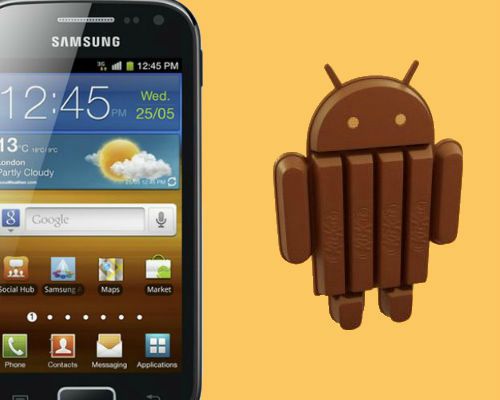
Update Galaxy Ace 2 to Android 4.4.2 KitKat Using CM11
SamsungGalaxyAce2adalah rentang pertengahanponselAndroid,yang secara resmidirilis pada bulan Mei2012denganAndroidOSv2.3Gingerbreadtapi kemudiankemudianupgrade keAndroid4.1.2JellyBean.Anehnya,penggunabenar-benar senangdenganpembaruanlangsung keJellyBeandanmungkin mengharapkandanberharapuntukupgrade berikutnyaini,tapi siapa yang tahu,kapanitu akan terjadi?Bila Anda punyaAkardenganKustomPemulihanterinstal, sayatidak berpikir begitu,Anda mungkin harusmenungguOTAresmi.CM11yang didasarkan padaAndroid4.4.2KitKattelah dirilis untukGalaxyAce2 olehTeamCanjica,menggunakan yang Andaakan dapatmemperbarui telepon keAndroid terbaru4.4.2KitKat.SebelumAnda melanjutkan,melaluipedomandanbagianprasyaratagaraman dan berhasilmelakukannya.
DVD drive (also accessible via Remote Disc) or external USB or FireWire DVD drive for installation
Tentunya fitur-fitur yang ditambahkan juga sangat menarik untuk digunakan. Mac App Store
Ya, App Store bakal diboyong ke Mac OS X 10.7 Lion. Dengan
ini pengguna dapat langsung mengunduh aplikasi yang mereka inginkan
secara langsung. Bagi pengguna Snow Leopard, tentunya App Store ini sudah tidak asing lagi. Karena Apple telah menyertakannya pada update 10.6.6. Launchpad
Fitur baru ini memberi kesempatan kepada para pengguna untuk
mengakses secara mudah semua aplikasi yang diunduh layaknya iPad dalam
Mac. Cukup klik ikon aplikasi Launchpad, dan langsung jajal
aplikasinya. Full-Screen Apps
Tampaknya Apple benar-benar mengawinkan iPad dengan Mac OS X. Kini pengguna bahakan bisa menikmati tampilan aplikasi secara full-screen, yang membuat tampilan menjadi lebih impresif. Mission Control Mission control merupakan gabungan dari kekuatan dan daya pesona Exposé, Spaces, Dashboard, serta tampilan full screen apps dalam satu wadah. Fitur ini memungkinkan pengguna melihat seluruh tab windows yang aktif yang terbagi dalam suatu grup aplikasi.
Jadi…. tunggu apa lagi…
Bagi Anda pecinta Apple Macintosh segera klik Free Download Mac OSX Lion 10.7 !!! untuk mendapatkannya
Torrent :
Windows Blue ini adalah windows keluaran terbaru dari Microsoft, dan
yang paling menakjubkan lagi adalah windows blue ini tersedia gratis
alias free untuk anda, feature yang diberikan Windows Blue ini pun tidak
jauh berbeda dengan Windows 8, yaitu masih menggunakan platfrom
MetroUI, dan microsoft ini memang mendengar kritikan dan saran dari sesi
saat Windows 8.
Pengguna menyesalkan dihilangkannya Start pada pojok bawah yang membuat
pengguna tidak nyaman menggunakan windows 8, tetapi windows blue
(Windows 8.1) ini kembali tersedia start menu seperti Widnows 7 dan
windows windows sebelumnya.
Baik berikut adalah feature yang terdapat di windows blue keluaran terbaru ini:
1. Lock screen slideshow
"As people started using Windows 8,
we found that people were using their Lock screens to show pictures of
their families," Leblond says. So in Windows 8.1, you can turn your PC
or tablet into a picture frame by making your Lock screen a slide show
of your pictures - either locally on the device or photos from Microsoft
SkyDrive. "We also added the ability to take pictures with the built-in
camera right from the Lock screen without having to log in."
2. More backgrounds
Windows
8.1 offers more colours and backgrounds for the Start screen -
including some with motion. You can also choose your desktop background
as your Start screen background.
3. Different tile sizes
As
in Windows Phone 8, the Windows 8.1 Start screen features a variety of
tile sizes including a new large and new small tile. It's also even
easier to name groups and rearrange tiles, says Leblond: "We found
people were accidentally moving tiles on their Start screen so in
Windows 8.1, you press and hold (or right click) to move things around."
You can now select multiple apps all at once, resize them, uninstall
them, or rearrange them: "View all apps just by swiping from the bottom
to view all apps, and we've added the ability to filter your apps by
name, date installed, most used, or by category. You want the Start
screen to be about all the things you love. So when you install a new
app from the Windows Store, we no longer put that app on your Start
screen. Instead, you'll find these apps under apps view as mentioned
above and marked as 'new' where you can choose to pin the apps you want
to your Start screen." Tiles can be even smaller
4. Aggregated search
Instead
of having to select an app and then search when you go to the Search
charm, Bing now powers an aggregated search system from the web, your
files, SkyDrive and elsewhere. Leblond says: "We think this will really
change the way you interact with the Web and with Windows making it
quicker and easier to get things done. It is the modern version of the
command line! Results from local files, apps, and settings are easily
accessed in the same convenient view by scrolling to the left."
5. Enhanced apps
New
app enhancements are also promised to all the built-in apps. According
to Leblond: "The Photos app now has some new editing features that let
you quickly edit or adjust photos when you view them in the Photos app
or open them from other places like the Mail, SkyDrive, and Camera apps.
And our Music app has been completely redesigned to help pick and play
music from your collection. We plan to talk more about updates to the
built in apps in Windows 8.1 and some brand new apps we will be
introducing in [the] future. We're also making improvements for using
multiple apps at once in Windows 8.1."
6. More snap views
If,
like us, you use Windows 8 a lot, you'll have been frustrated by the
lack of 50:50 split snap views. This is the game-changer for Windows 8
apps. "You will have more ways to see multiple apps on the screen at the
same time," says Leblond. "You can resize apps to any size you want,
share the screen between two apps, or have up to three apps on each
screen if you have a multiple displays connected, you can have different
Windows Store apps running on all the displays at the same time and the
Start Screen can stay open on one monitor (yes!). This makes
multi-tasking even easier. Also in Windows 8.1, you can have multiple
windows of the same app snapped together - such as two Internet Explorer
windows." We're really looking forward to that. Yes! A 50:50 split!
7. An enhanced Windows Store
App
updates will now install automatically in the background as they come
through the Store. And search is available in the upper right hand
corner for finding the apps you want. Leblond elaborates: "The improved
Windows Store is designed to show more info than before in Windows 8
with detailed lists of top free apps, new releases, and picks for you on
the homepage. The app listing is more descriptive and informative and
includes an area for related apps to help with app discovery."
8. Save direct to SkyDrive, plus offline files
In
Windows 8.1 your files can be saved directly to SkyDrive. The SkyDrive
app will also get a new update so that files are available even when
offline - as in the desktop version. SkyDrive will get offline support
9. You no longer need the desktop Control Panel
The
updated PC Settings in Windows 8.1 gives you access to all your
settings on your device without having to go to the Control Panel on the
desktop. "You can do things like change your display resolution, set
power options, see the make and model of my PC, change the product key,
let me do Windows Update, and even join a domain – all from PC
Settings," says Leblond. You can also manage SkyDrive from PC Settings
as well.
10. A new Internet Explorer
Internet Explorer 11
will ship with Windows 8.1. "IE11 will offer even better touch
performance, faster page load times and several other new features we
think you will enjoy," says Leblond. "For example, you can now adjust
the appearance of modern IE11 to always show the address bar and you can
have as many open tabs as you like. And you can access your open tabs
in sync across your other Windows 8.1 devices."
11. Better with a mouse and keyboard
For
devices without touch, Windows 8.1 features a number of improvements
for easier navigation using a mouse and keyboard. "PCs today are
evolving for a world of mobile computing where people interact with
their devices through touch, and we designed Windows 8 for this,"
explains Leblond. "But we also recognize there are many non-touch
devices in use today - especially in the commercial setting."
12. A change to the Start 'tip'
You've
already heard about this one, right? Leblond adds that there are also
options to change what the corners do, and options to boot into
alternate screens: "For example, if you prefer to see the Apps view
versus all the tiles, you can choose to have the Start screen go
directly to Apps view."
Microsoft says it will be releasing more
Windows 8.1 details "in the coming weeks. As you've heard us talk about
before, Windows 8.1 will be available later this year as a free update."
Microsoft also says that it will also be sharing more about Windows Embedded at Build. Embedded will be "updated
in the same timeframe as Windows 8.1. We're aligning the platforms even
more to bring Windows to form factors of all types, including not only
tablets and PCs, but also the growing category of devices such as ATMs,
point of service (POS) terminals, and kiosks."
itulah sedikit kutipan yang saya ambil dari salah satu website yang
mereview tentang Windows Blue ini, ya sudah jangan lama lama lagi
silahkan Download Windows Blue (Windows 8.1) Full Version Free dibawah
ini:
Sekedar mau berbagi link download Download Windows XP SP3 Full + Key Full Version, link download ini aku peroleh dari hobyfarlet.blogspot.com dan terimakasih sekali.
Release Name: Windows XP SP3 2011 v11.02
System: Windows XP Professional SP3 Original MSDN
CD Key: D36RK-QDFFD-BTWWY-BT7KK-43MGM
Activation: Already activated
Install method: Unattended, Bootable, Fast
File format: ISO
Free Space Needed in C: 3 GB
Burn the ISO with ImgBurn / Nero or other Burning Tools.
Boot From CD.
Press a key when asked.
After some time You need to Select Partition to Install. (Fresh
Installation Recommended, Use First Partition, C:) 5. Format it or use
without formatting.
Thus the Setup Begins.
Remove CD only after Full Applications Installation.
After Installation Competed, Reboot Computer.
Enjoy Windows XP SP3 2011.
saya juga belum mendownloadnya, karena ukuran file yang terlalu
besar dan menghabiskan quota axis saya nanti. :)) lebih baik sewa Download Windows XP SP3 Full + Key Full Versiondi
rental saja kalo aku, cuma kalo memang teman-teman ada yang punya
koneksi cepat tanpa batas ya silahkan di download gratis+free+no money..
ok